
 Anson |
 08 14th, 2019|
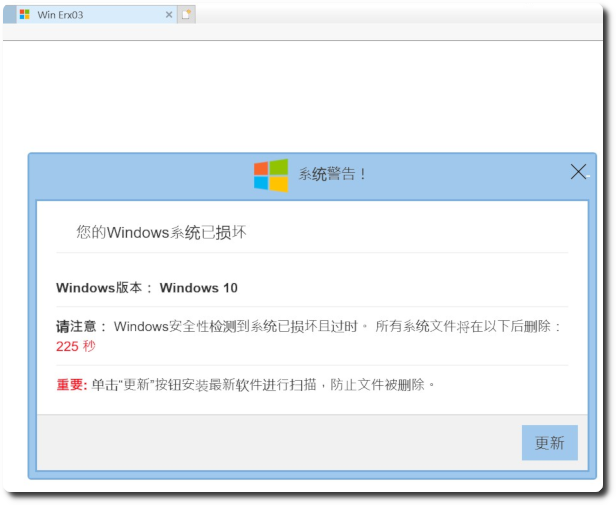
 最近公司每天都有1~3台電腦在使用 IE 時,會跳出「您的 Windows 系統已損壞」的錯誤訊息,經過確認電腦並沒有中毒,只是無法釐清為何會跳出此假冒的網頁,且每天都有不同電腦發生。

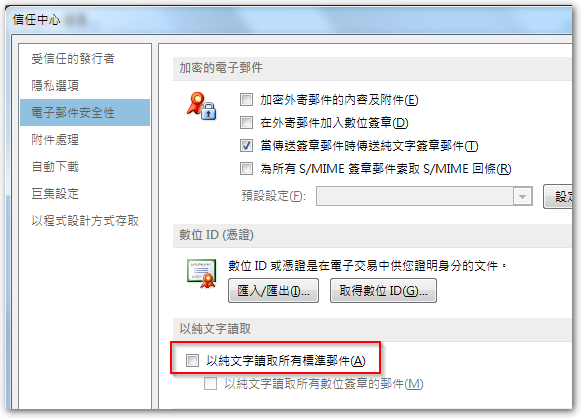
Today, a colleague reported that,Outlook emails suddenly all turned into plain text format,Some content even appears as garbled characters,Manually changing the encoding does not restore it to normal。Searched online for information,Outlook does have a setting that allows users to view all emails,entirely in plain text format,To improve security,But this colleague's setting was not enabled,Even if enabled and then disabled,Emails are still in plain text mode。
 Outlook 有時會收到含有image001.wmz、image002.wmz… 附檔的郵件,針對 wmz 副檔名的檔案,Windows 預設會建議以 Windows Media Player 開啟,但實際上可能會開啟失敗。若另存成 jpg 或 png 等圖片格式,就要端看你是用哪套看圖軟體,有的可以打開,有的不行。
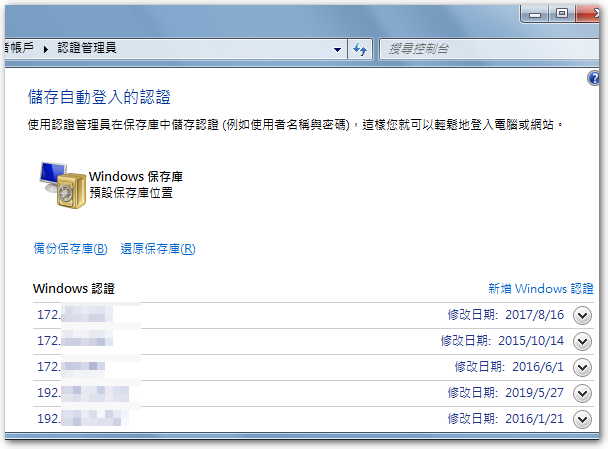
 同仁反應一台新的電腦在列印 Excel 檔時,會出現記憶體不足的訊息,列印 PDF 檔則是沒有反應。原先以為 Windows 10 1903 跟 Excel 2007 相容性的問題,因為升到 1903 時,該台電腦的無線網卡直接罷工,更新驅動程式後才恢復正常。測試過幾個方式之後,試著把該印表機的驅動刪掉再行安裝,才發現這台電腦對伺服器的連線驗證已經遺失,所以需要重新輸入帳號密碼來驗證,而這也是 Excel 列印會出現記憶體不足的主要原因,因此只需要到控制台的使用者帳戶,將 Windows 認證設定正確即可解決問題。
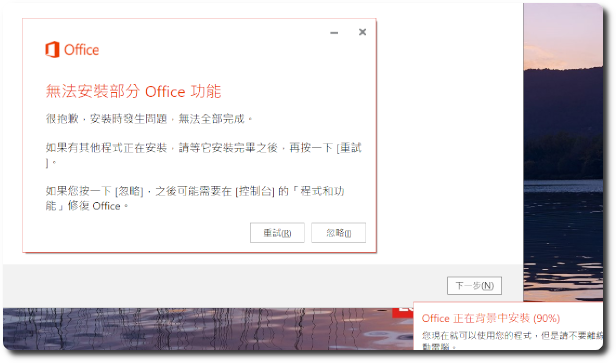
 新的 Windows 10 筆電來時,往往都會內建一些 Office 元件,常常都要將其移乾淨後,才能安裝自己所購買 Office 版本,且每隔一段時間,發生的錯誤訊息都不太一樣。最近在處理一台新 NB 時,當安裝 Office 2013 到 90% 時,就會跳出「無法安裝部分 office 功能」的錯誤訊息,可以選擇「重試」或「忽略」,依慣例,選擇「重試」一樣會有問題,而選擇「忽略」的話,同事說目前還沒看到有什麼影響,仍可正常使用。
Outlook 從 2007 開始,有內建郵件索引功能,可以讓使用者在搜尋郵件時,Find target emails faster,But this indexing feature sometimes causes us to be unable to find existing emails。When changing computers or other factors require the index to be rebuilt,Before the index is fully built,the emails users search for may be incomplete results,this situation doesn't happen often,but when you're in a hurry to find an email,and the index hasn't been built yet,it can cause a lot of trouble。
 之前因為公司網站被植入惡意程式的關係,建置了一個新的網站平臺,並且捨棄 appserv 這類快速建置但僅適用於開發環境的套件,改以手動建置 Apache、MariaDB 以及 PHP,之後並以每半年更新一次的頻率做維護,本篇即為記錄更新 Apache、MariaDB 以及 PHP 這三個程式的步驟。
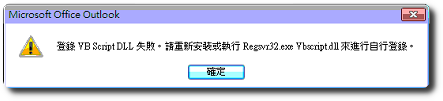
Recently, when upgrading the computer's Office 2007 時,When opening Outlook 2007 An error message 'Failed to register VB Script DLL' appears,And prompts to run”regsvr32.exe vbscript.dll”to register it,而照著執行並未能解決問題。
 先前有寫一篇「設定HP 5130 EI sFlow (流量監控)傳至 inMon sFlowTrend」的文章,當時是子公司 VPN 網路發生異常狀況,請 VPN 廠商檢視路由器後,查出是一個很基本且常用的服務佔用頻寬導致,當時就在想如果能夠自己進行查詢,就可以縮短整體查修的時間。上網查訊相關資訊後,試了幾個免費的 flow 軟體,最後選擇了 sFlowTrend 這個相對簡單且實用的工具,而當時安裝完後,因為網路問題已排除,便沒有機會瞭解實際的效果如何。


 MDaemon has a built-in function to generate certificates,But it cannot export the relevant certificate data to submit to a third-party verification,因此如果要向第三方的 SSL 憑證驗證單位申請憑證給 MDaemon 用,you can refer to