Anson |
 08 2nd, 2023|

【VLAN Setup】
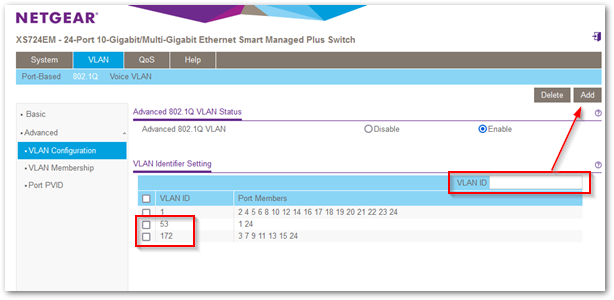
◎ 'VLAN' → '802.1Q' → 'Advanced' → 'VLAN Configuration',Select 'Enable'。
◎ Add VLAN IDs one by one,For example:53、172。
【VLAN Setup】
◎ 'VLAN' → '802.1Q' → 'Advanced' → 'VLAN Configuration',Select 'Enable'。
◎ Add VLAN IDs one by one,For example:53、172。

 在安裝網路印表機時,有時會在點兩下後,出現 0x00000BCB 的錯誤,通常發生在條碼標籤機以及點陣印表機,大型事務機則沒發生過,通常重新安裝 Windows Server 上的驅動可以解決,但是隔一段時間後,就又會發生。
繼續瀏覽 »
| 設定頁面 | 對象 | 設定值位置 |
| 「捷徑」 | 該捷徑 | Shortcut File |
| Compatibility | This User | Key(Note 1.) |
| Compatibility for All Users | All Users | Key(Note 2.) |
Note 1.
電腦\HKEY_CURRENT_USER\SOFTWARE\Microsoft\Windows NT\CurrentVersion\AppCompatFlags\Layers
Note 2.
電腦\HKEY_LOCAL_MACHINE\SOFTWARE\Microsoft\Windows NT\CurrentVersion\AppCompatFlags\Layers
PS. 機碼為「字串值」,值為”~ RUNASADMIN”。
 先前有寫過一篇「在 Windows 申請 Let’s Encrypt wildcard 憑證」,該篇主要是透過 “Get HTTPS for free!” 網站以動手動方式申請或展延憑證。最近在架新的網站時,試著用 WIN-ACME 工具來申請,以方便之後使用其自動展延 (renewal) 功能。
繼續瀏覽 »
 It seems that Joomla, starting from version 2.X and 3.X,,automatically converts email addresses in articles into hyperlink format。Today, when using JavaScript for the email address on a specific page,it resulted in clicking,causing two Outlook windows to pop up,因此需要關閉內建的轉換功能。
繼續瀏覽 »
環境建議:WSUS 主機記憶體建議有 8G 以上。
Q. WSUS 常常或始終跳出連線錯誤,需要重設伺服器節點。
A1. 先試試下面這篇做法,將 WsusPool(IIS) 的「專用記憶體限制」拿掉。
◎ WSUS Reset Server Node | 老森常譚
 用 Joomla 4 建置新網站,開啟 SEO 及 URL Rewrite 後,網站就出現問題,一開始 Google 到自己的文章 -「Joomla URL rewrite 404 Unable to display webpage」,主要是因為沒把 httpd.conf 的 AllowOverride 設為 All 導致。但這次設完後,卻變成 403 Forbidden,且是所有頁面都進不去,Whether or not the page URL uses rewrite,After researching for a few hours,Finally found the reason。
繼續瀏覽 »
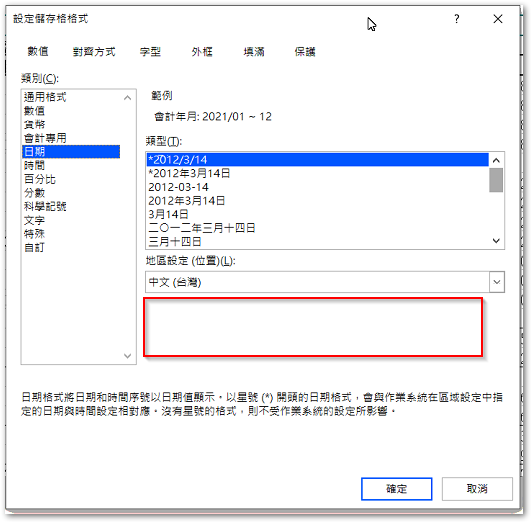
 陸續有同事反應新電腦的 Excel 日期格式少了「行事曆類型」欄位,因此沒法選擇「中華民國曆」的格式。上網查詢後,有的文章說可以去下載 microsoft-windows-internationalfeatures-taiwan-package 的 cab 檔來安裝,但我實際下載安裝後,The error code 0x800f0818 may appear,It seems to be a version mismatch。
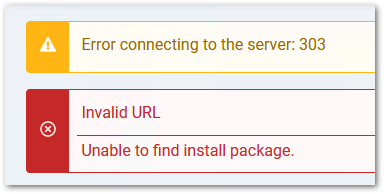
On the Joomla 4 test environment,When installing a language,The following error will pop up:
Error connecting to the server: 303
Invalid URL
Unable to find install package.
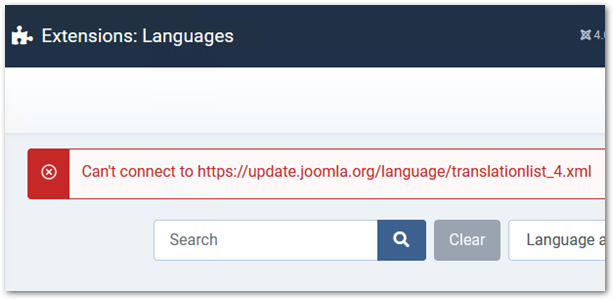
Recently, I set up a new Joomla 4 test website,I encountered some minor issues during the setup process,so I decided to organize them into an article。On the 'Install Languages' page in the control panel,the following error message appears:
Can't connect to https://update.joomla.org/language/translationlist_4.xml