Anson |
 09 16th, 2019|
 最近在查 Sonicwall 的 log 時,注意到 log 不斷地會出現” IKEv2 Payload processing error”的錯誤訊息,且都是與 NSA4600 這台建立 Site to Site VPN 的規則有關。
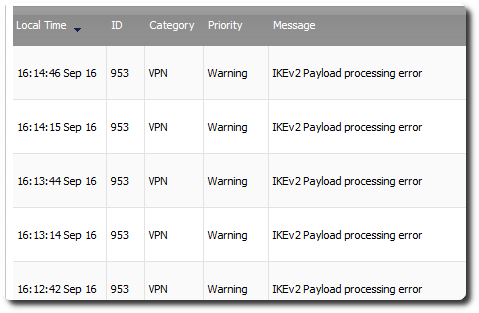
最近在查 Sonicwall 的 log 時,注意到 log 不斷地會出現” IKEv2 Payload processing error”的錯誤訊息,且都是與 NSA4600 這台建立 Site to Site VPN 的規則有關。

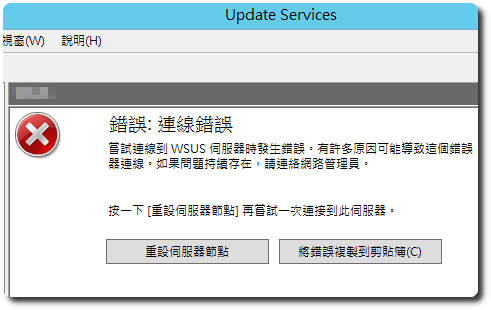
 I started using WSUS about ten years ago,I vaguely remember it wasn’t long before,the issue of needing to 'reset the server node' started appearing,There are many solutions online,So I never really wrote an article about the solution,Because it seems like I’ve never encountered a permanent fix,頂多是降低出現的頻率而已。網路上的討論,多是圍繞在 IIS 的設定以及加大記憶體,但後期我已經給到 16G 的記憶體,發生的頻率仍然不低。
【資產負債表】
網址:https://mops.twse.com.tw/mops/web/t164sb03
必要參數:firstin
必要參數:step
最新資料:isnew
股票代碼:co_id
年度:year
季別:season
範例:https://mops.twse.com.tw/mops/web/t164sb03?firstin=1&step=1&isnew=false&co_id=2330&year=107&season=4
【綜合損益表】
網址:https://mops.twse.com.tw/mops/web/t164sb04
必要參數:firstin
必要參數:step
最新資料:isnew
股票代碼:co_id
年度:year
季別:season
範例:https://mops.twse.com.tw/mops/web/t164sb04?firstin=1&step=1&isnew=false&co_id=2330&year=107&season=4
【歷史重大訊息】
網址:https://mops.twse.com.tw/mops/web/t05st01
必要參數:firstin
股票代碼:co_id
年度:year
範例:https://mops.twse.com.tw/mops/web/t05st01?firstin=true&co_id=2330&year=108
 BookStack 在使用 AD 驗證後,還可以將角色與 AD 的群組做串接,以簡化群組成員異動的工作,不過在使用跟設定上,有些地方需要留意,雖然都是小問題,但我自己花了一兩周的時間才找出原因,因此整理出來分享。
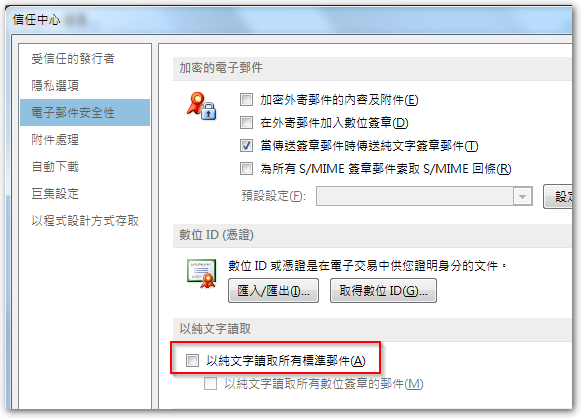
Today, a colleague reported that,Outlook emails suddenly all turned into plain text format,Some content even appears as garbled characters,Manually changing the encoding does not restore it to normal。Searched online for information,Outlook does have a setting that allows users to view all emails,entirely in plain text format,To improve security,But this colleague's setting was not enabled,Even if enabled and then disabled,Emails are still in plain text mode。
According to BookStack official documentation,To use LDAP / AD for login authentication,The following settings must be added to the .env file first,Example domain:
◎ AD domain: abc.com.tw
◎ AD administrator account / Password: administrator / 123456
 Outlook 有時會收到含有image001.wmz、image002.wmz… 附檔的郵件,針對 wmz 副檔名的檔案,Windows 預設會建議以 Windows Media Player 開啟,但實際上可能會開啟失敗。若另存成 jpg 或 png 等圖片格式,就要端看你是用哪套看圖軟體,有的可以打開,有的不行。
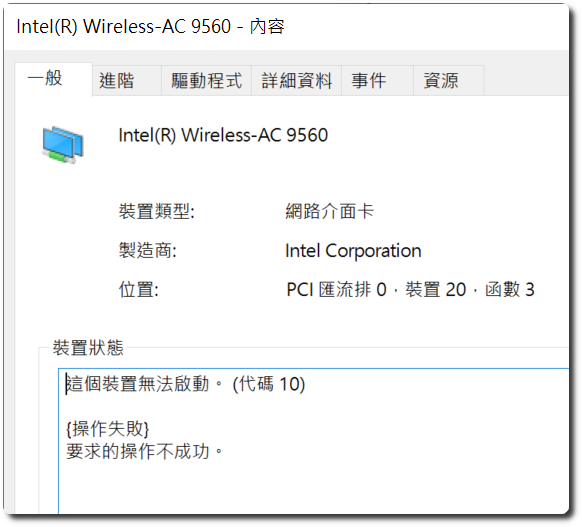
 這兩天在處理一台新的 acer NB,型號是 Swift SF514-53T,內建的 Windows 10 為 1809 版本,試著將其更新到 1903 版本,沒想到重開機後,無線網路就無法使用,到網路中心去看,整張無線網卡直接消失,再到「裝置管理員」查看,無線網卡出現驚嘆號,這張網卡的型號是 Intel Wireless-AC 9560,點進去後,完整的錯誤訊息為”這個裝置無法啟動。 (代碼 10) {操作失敗} 要求的操作不成功。”
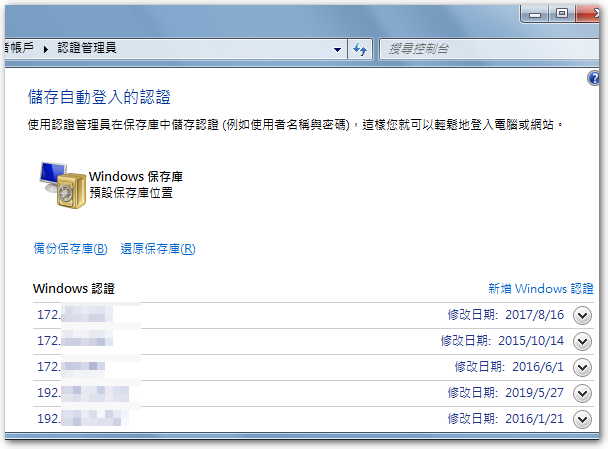
 同仁反應一台新的電腦在列印 Excel 檔時,會出現記憶體不足的訊息,列印 PDF 檔則是沒有反應。原先以為 Windows 10 1903 跟 Excel 2007 相容性的問題,因為升到 1903 時,該台電腦的無線網卡直接罷工,更新驅動程式後才恢復正常。測試過幾個方式之後,試著把該印表機的驅動刪掉再行安裝,才發現這台電腦對伺服器的連線驗證已經遺失,所以需要重新輸入帳號密碼來驗證,而這也是 Excel 列印會出現記憶體不足的主要原因,因此只需要到控制台的使用者帳戶,將 Windows 認證設定正確即可解決問題。


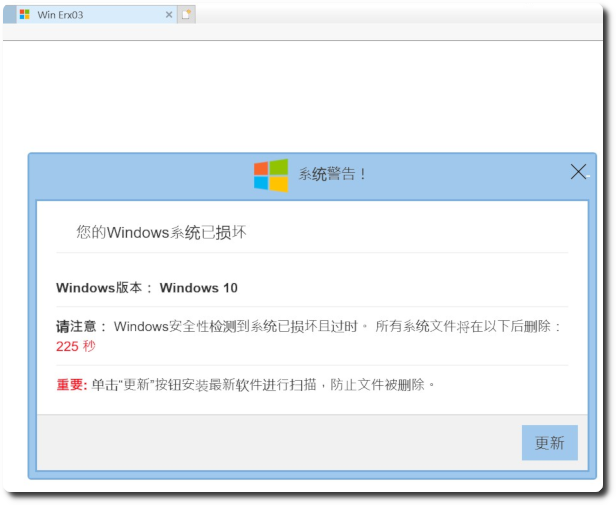
 最近公司每天都有1~3台電腦在使用 IE 時,會跳出「您的 Windows 系統已損壞」的錯誤訊息,經過確認電腦並沒有中毒,只是無法釐清為何會跳出此假冒的網頁,且每天都有不同電腦發生。