Anson |
 07 30th, 2020|
 ◎ Server OS: Windows Server 2019
◎ OpenVPN: OpenVPN 2.4.9 (Community)
◎ AD 驗證元件: Auth4OpenVPNv2.0
◎ Client OS: Windows 10
繼續瀏覽 »
Jul
30

Jul
27
 【目標】
【目標】
◎ 使用 AD 做為帳戶驗證方式。
◎ Client 端使用獨立網段,並可自動取得 IP。
◎ Client 端僅針對特定網段的流量會流量 VPN,上網 (Internet) 不會。
◎ Client 端可以連到企業內部的其他網段。
Jul
27
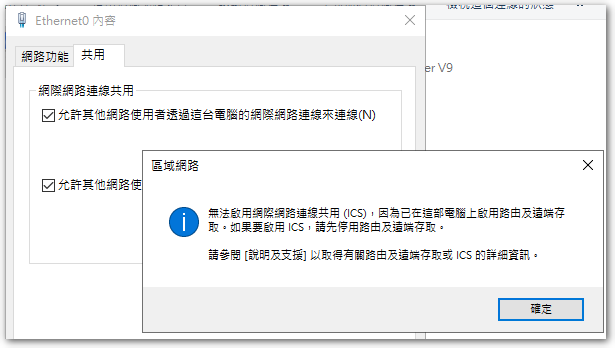
 Today, while testing Open VPN,Tried to enable 'Network Connection Sharing',但是卻跳出下面訊息:
無法啟用「網際網路連線共用 (ICS)」,因為已在這部電腦啟用路由及遠端存取。如果要啟用 ICS,請先停用路由及遠端存取。
Jul
20
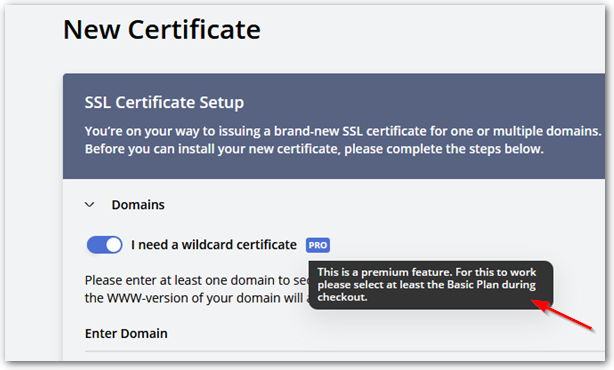
 上回抱著嘗試的心態在 SSL For Free 申請 Wildcard 憑證 (*.abc.com),沒想到申請成功了,原本還以為 Let’s Encrypt 只能針對個別網址進行申請。最近由於憑證快滿三個月,便準備再進行申請,卻發現 SSL For Free 被 ZeroSSL 買下來後,針對 Wildcard 憑證的申請,只能以付費的方式購買,因此只好放棄此平臺的服務。
Jul
16
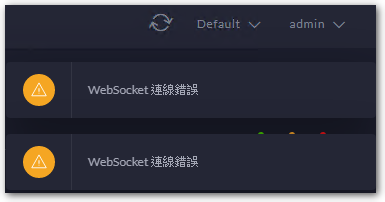
 忘了從哪一版開始,進入 Unifi AP Controller 右上角都會跳出一個 WebSocket connection error 的訊息,猜想應該是因為沒有使用 Unifi 閘道器產品的關係,也就沒有特別理會。
Jul
7
◎ regedit。
◎ HKLM\SOFTWARE\Microsoft\Windows NT\CurrentVersion\SPP\Clients。
◎ 新增一個名為 “{09F7EDC5-294E-4180-AF6A-FB0E6A0E9513}” 的「多字串值」,值輸入 1。
Jul
7
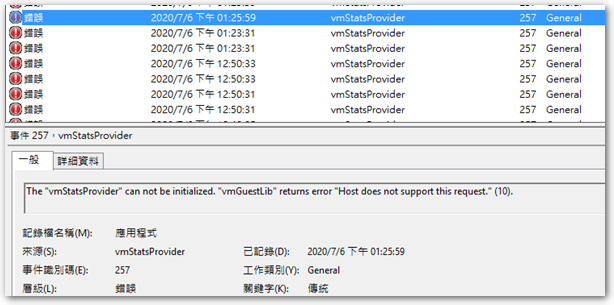
 這幾天有台 VM 突然的就出現大量的 vmStatsProvider 錯誤訊息,The content is as follows:
The “vmStatsProvider” can not be initialized. “vmGuestLib” returns error “Host does not support this request.” (10).
Jul
2
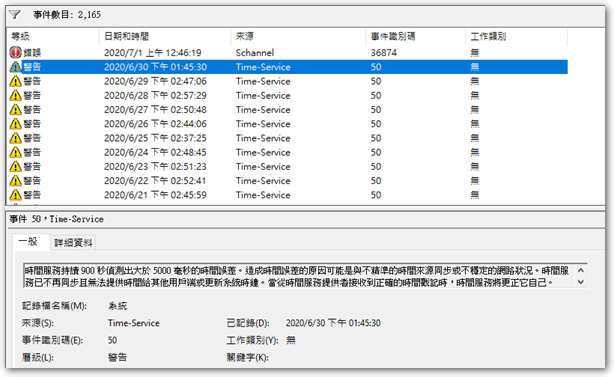
先前有台 Server 每天都會出現 Time-Service 50 warning message,The content is as follows:
時間服務持續 900 秒偵測出大於 5000 毫秒的時間誤差。造成時間誤差的原因可能是與不精準的時間來源同步或不穩定的網路狀況。The time service is no longer synchronized and cannot provide time to other clients or update the system clock。When a correct timestamp is received from the time service provider,the time service will correct itself。