
 I've always been used to using a rounded font for my diary,So after installing the operating system,Adding new fonts is also one of the necessary steps,However, this time after installing Manjaro,The built-in fonts still look quite comfortable for my diary,所以倒是沒有急著安裝字型,但是有造成一些排版的問題,因此還是找時間把細圓體裝上了。
Manjaro 在台灣使用的人雖然還不多,但由於他是從 Arch Linux 衍生而來,因此大多問題可以參考 Arch Linux 的文件來解決,這次也不例外,透過 Arch Linux Wiki 的教學即可完成安裝字型的動作。
1. Manjaro 字型的預設路徑在 “/usr/share/fonts”,可以在此目錄下建一個自訂目錄,這邊以 “wang”為例。
sudo mkdir /usr/share/fonts/wang/"
2. 切換到字型檔的位置後,將其複製到 “/usr/share/fonts/wang/”。
sudo cp wt006.ttf /usr/share/fonts/wang/"
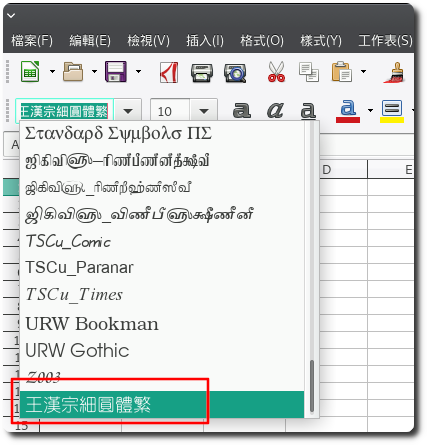
3. 完成後即可在程式找到剛安裝的字型。
【參考連結】
- Fonts (正體中文) – ArchWiki


Leave a Reply