
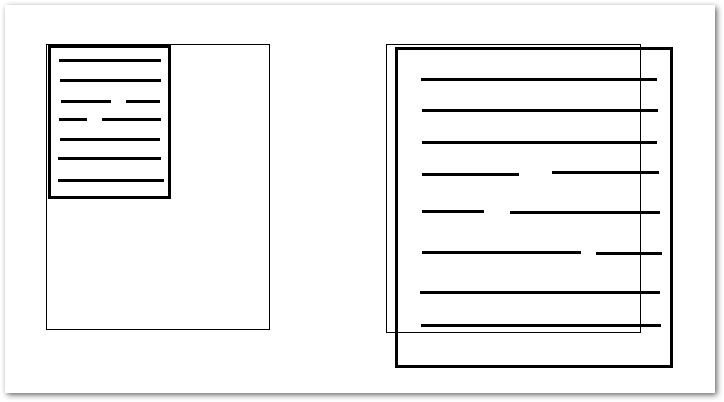
 When using Quick Report 1920*1080 with resolution plus 125% and higher display settings,the 'Preview Print' scale may be incorrect(either too large or too small),but the actual printout is normal,To fix this,you need to modify the qrprntr.pas file of Quick Report in the development environment,There are two ways to fix this。
◎ 檔案位置
C:\Program Files (x86)\Embarcadero\Studio\16.0\Quickrep506\qrprntr.pas
◎ 方法一
增加一個 scaleToNativeDeskRes Function 讓 FMetafile.Width 及 FMetafile.Height 調用。
procedure TQRPrinter.CreateMetafileCanvas;

  function scaleToNativeDeskRes(pVal: Integer): Integer;
  var
   tTemp: HDC;
  begin
    tTemp := GetDC(0);
    try
      Result := Round((pVal * GetDeviceCaps(tTemp, VERTRES)) / GetDeviceCaps(tTemp, DESKTOPVERTRES));
    finally
      ReleaseDC(0, tTemp);
    end;
  end;

begin
...
  FMetafile.Width := scaleToNativeDeskRes(XSize(PaperWidthValue));
  FMetafile.Height := scaleToNativeDeskRes(YSize(PaperLengthValue));
  FCanvas := TMetafileCanvas.Create(FMetafile, 0);
  FCanvas.Font.PixelsPerInch := MetafileDPI;
...
end;
完整範例如下
procedure TQRPrinter.CreateMetafileCanvas;

// 解決 Windows 字型放大到 125% 以上時,預覽列印的比例會異常的問題。
 function scaleToNativeDeskRes(pVal: Integer): Integer;
  var
    tTemp: HDC;
  begin
    tTemp := GetDC(0);
    try
      Result := Round((pVal * GetDeviceCaps(tTemp, VERTRES)) / GetDeviceCaps(tTemp, DESKTOPVERTRES));
    finally
      ReleaseDC(0, tTemp);
    end;
  end;

begin
  FMetafile := TMetafile.Create;
  // {$define HIRES}
{$IFDEF HIRES}
  // try a high res canvas
  XFactor := GetDeviceCaps(aPrinter.Handle, LogPixelsX) / 254;
  YFactor := GetDeviceCaps(aPrinter.Handle, LogPixelsY) / 254;
  FMetafile.Width := XSize(PaperWidthValue);
  FMetafile.Height := YSize(PaperLengthValue);
  FCanvas := TMetafileCanvas.Create(FMetafile, aprinter.Handle);
  FCanvas.Font.PixelsPerInch := GetDeviceCaps(aprinter.Handle, LOGPIXELSY);
{$ELSE}
  // dpi fix ? suggested by David Martin
  FMetafile.Width := scaleToNativeDeskRes(XSize(PaperWidthValue)); // add // 在此處調用 scaleToNativeDeskRes。
  FMetafile.Height := scaleToNativeDeskRes(YSize(PaperLengthValue)); // add // 在此處調用 scaleToNativeDeskRes。
  FCanvas := TMetafileCanvas.Create(FMetafile, 0); // add
  FCanvas.Free; // add
  if FMetafile.Width > XSize(PaperWidthValue) then // add
    FMetafile.Inch := (96 * FMetafile.Width) div XSize(PaperWidthValue); // add
  // end fix

  FMetafile.Width := XSize(PaperWidthValue);
  FMetafile.Height := YSize(PaperLengthValue);
  FCanvas := TMetafileCanvas.Create(FMetafile, 0);
  YFactor := Screen.PixelsPerInch / 254;
  XFactor := YFactor;
  SetGraphicsMode(FCanvas.handle, GM_ADVANCED); // disable this line
{$ENDIF}
  // FHyperlinks := TList.Create;
end;
◎ 方法二
其實在 Quick Report 5.06 版中,已經有提供修正程式,寫在 {$IFDEF HIRES} 底下,只是程式沒有在 {$define HIRES} 定義什麼情況下算高解析度,所以程式不會跑進修正程式。
因此方法二就是把 {$IFDEF HIRES} 裡的程式移到 {$ELSE} 底下,取代原本的寫法即可。
procedure TQRPrinter.CreateMetafileCanvas;

begin
  FMetafile := TMetafile.Create;
  // {$define HIRES}
{$IFDEF HIRES}

{$ELSE}
  // try a high res canvas
  // 解決 Windows 字型放大到 125% 以上時,預覽列印的比例會異常的問題。
  XFactor := GetDeviceCaps(aPrinter.Handle, LogPixelsX) / 254;
  YFactor := GetDeviceCaps(aPrinter.Handle, LogPixelsY) / 254;
  FMetafile.Width := XSize(PaperWidthValue);
  FMetafile.Height := YSize(PaperLengthValue);
  FCanvas := TMetafileCanvas.Create(FMetafile, aprinter.Handle);
  FCanvas.Font.PixelsPerInch := GetDeviceCaps(aprinter.Handle, LOGPIXELSY);

  // dpi fix ? suggested by David Martin
  FMetafile.Width := scaleToNativeDeskRes(XSize(PaperWidthValue)); // add
  FMetafile.Height := scaleToNativeDeskRes(YSize(PaperLengthValue)); // add
  FCanvas := TMetafileCanvas.Create(FMetafile, 0); // add
  FCanvas.Free; // add
  if FMetafile.Width > XSize(PaperWidthValue) then // add
    FMetafile.Inch := (96 * FMetafile.Width) div XSize(PaperWidthValue); // add
  // end fix

  FMetafile.Width := XSize(PaperWidthValue);
  FMetafile.Height := YSize(PaperLengthValue);
  FCanvas := TMetafileCanvas.Create(FMetafile, 0);
  YFactor := Screen.PixelsPerInch / 254;
  XFactor := YFactor;
  SetGraphicsMode(FCanvas.handle, GM_ADVANCED); // disable this line
{$ENDIF}
  // FHyperlinks := TList.Create;
end;
【參考連結】
- delphi – Quick report displaying or printing a report incorrectly with windows font size setting is: (125%,150%) or dpi larger then 96 (120,144) – Stack Overflow
- Problema de escalado de funtes con QuickReport – Foros Club Delphi
- [퀵리포트,quickReport] 윈도우10에서 dpi를 120%나 150%로 설정하면 미리보기창에서 2/3정도의 크기로..
- QR comprime caracteres en preview e impresion – Foros Club Delphi


Nice
已參考引用
Nice
已參考引用
Nice