
 今天有同事反映在发送一份 Word 文件时,随即收到一封‘未传递的主题’:」,内容则是说明 “552 MS-Office 文件中包含 VBA 宏的邮件被发现”,来回测试几次后,确认是被 Sonicwall 防火墙阻挡了。
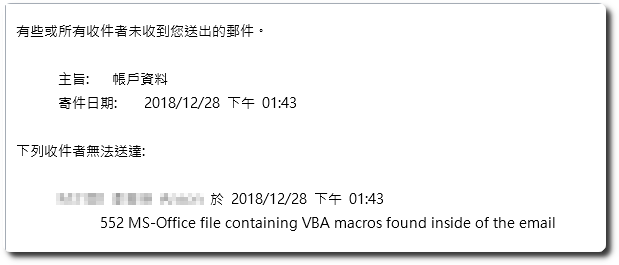
由於 Sonicwall 的 Gateway Anti-Virus 預設會阻擋含有 VBA 功能的Office 文件檔,因此只要將此設定拿掉即可。
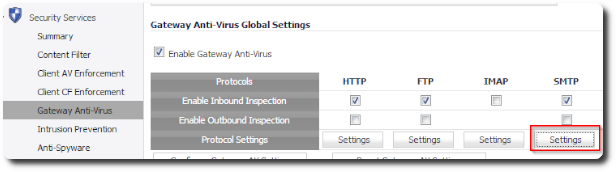
1.「Security Services」-「Gateway Anti-Virus」,在「SMTP」底下點擊「Settings」。
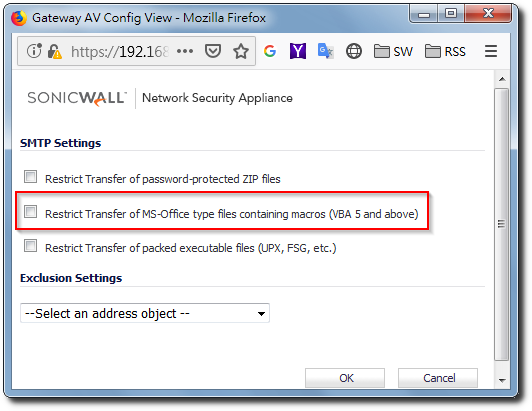
2.取消勾选 “Restrict Transfer of MS-Office type files containing macros (VBA 5 and above)” 即可。
【参考链接】
- Gateway Anti-Virus (GAV) Blocking VBA Macro Files When SMTP and POP Inspection is Disabled on SonicO | SonicWall


留下回复