
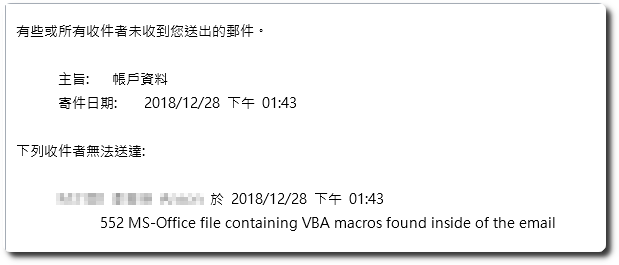
 今天有同仁反應在寄一份 Word 檔時,隨即收到一封「未傳遞的主旨:」,內容則是說明 “552 MS-Office file containing VBA marcos found inside of the email”,來回測試幾次後,確認是被 Sonicwall 防火牆給阻擋了。
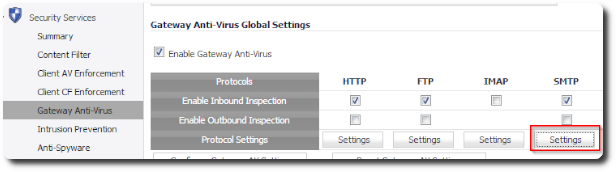
由於 Sonicwall 的 Gateway Anti-Virus 預設會阻擋含有 VBA 功能的Office 文件檔,因此只要將此設定拿掉即可。
1.「Security Services」-「Gateway Anti-Virus」,在「SMTP」底下點擊「Settings」。
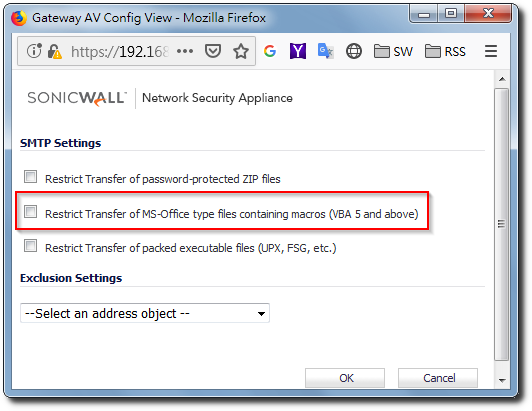
2.取消勾選 “Restrict Transfer of MS-Office type files containing macros (VBA 5 and above)” 即可。
[參考連結]
- Gateway Anti-Virus (GAV) Blocking VBA Macro Files When SMTP and POP Inspection is Disabled on SonicO | SonicWall


댓글 남기기