Anson |
 09 16th, 2019|
 最近在查 Sonicwall 的 log 時,注意到 log 不斷地會出現” IKEv2 Payload processing error”的錯誤訊息,且都是與 NSA4600 這台建立 Site to Site VPN 的規則有關。
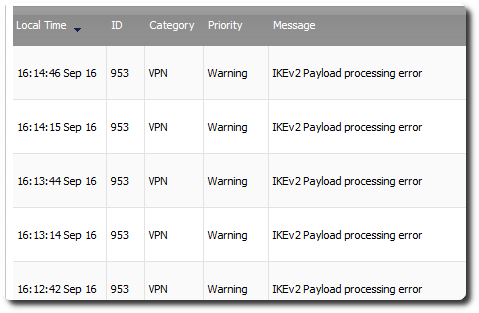
最近在查 Sonicwall 的 log 時,注意到 log 不斷地會出現” IKEv2 Payload processing error”的錯誤訊息,且都是與 NSA4600 這台建立 Site to Site VPN 的規則有關。

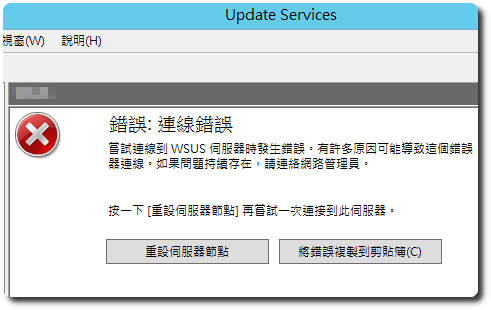
 大概从十年前开始使用 WSUS,印象中过了没几年,就开始会出现需要‘重置服务器节点’的问题,网络上相关解决方法也很多,所以我也就一直没把解决方法写成文章,因为似乎没遇过可以根治的解决方法,At most, it only reduces the frequency of occurrence。Discussions online,Mostly focus on IIS settings and increasing memory,But later I had already allocated 16GB of memory,The frequency of occurrence is still not low。
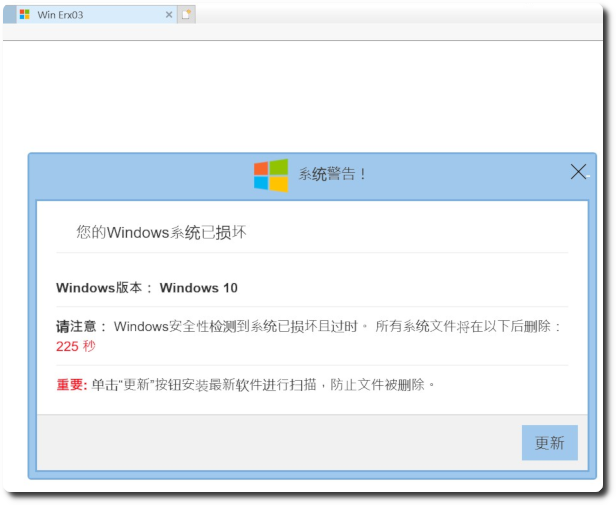
 Recently, the company has 1~3 computers every day experiencing this issue while using IE,A 'Your Windows system is corrupted' error message keeps popping up,After checking, the computer is not infected with a virus,It's just unclear why this fake website keeps appearing,And it happens on different computers every day。
[Balance Sheet]
网址:https://mops.twse.com.tw/mops/web/t164sb03
Required parameters:firstin
Required parameters:step
Latest data:isnew
Stock code:co_id
年度:年
季別:季节
範例:https://mops.twse.com.tw/mops/web/t164sb03?firstin=1&step=1&isnew=false&co_id=2330&year=107&season=4
【综合损益表】
网址:https://mops.twse.com.tw/mops/web/t164sb04
Required parameters:firstin
Required parameters:step
Latest data:isnew
Stock code:co_id
年度:年
季別:季节
範例:https://mops.twse.com.tw/mops/web/t164sb04?firstin=1&step=1&isnew=false&co_id=2330&year=107&season=4
【历史重大讯息】
网址:https://mops.twse.com.tw/mops/web/t05st01
Required parameters:firstin
Stock code:co_id
年度:年
範例:https://mops.twse.com.tw/mops/web/t05st01?firstin=true&co_id=2330&year=108
 BookStack 在使用 AD 验证后,还可以将角色与 AD 的群组进行串接,以简化群组成员变动的工作,不过在使用和设置上,有些地方需要注意,虽然都是小问题,但我自己花了一两周的时间才找出原因,因此整理出来分享。
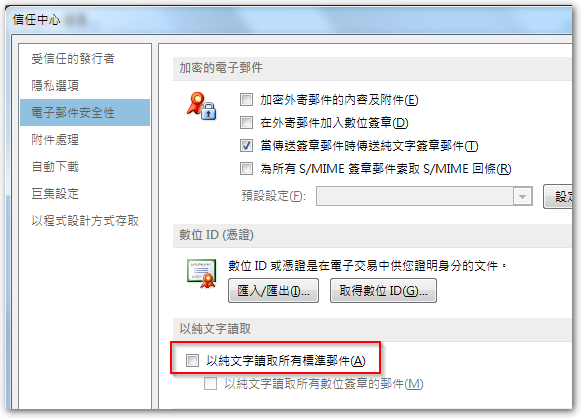
今天有同事反馈,Outlook 的邮件忽然全部变成纯文本格式,部分内容还显示乱码情况,手动修改编码也无法恢复正常。上网查询资料,Outlook确实有一个设置是让用户在浏览邮件时,全部以纯文本的形式来查看,为了提高安全性,但该同事的此项设置并未开启,就算开启再关闭,邮件依然是纯文本模式。
根据 BookStack 官方说明,要使用 LDAP / AD 作为登录验证,需先将下列设置值新增至 .env 文件,示例域名:
◎ AD 域: abc.com.tw
◎ AD 管理员账号 / 密码: administrator / 123456
 Outlook 有时会收到包含 image001.wmz、image002.wmz… 附件的邮件,针对 wmz 文件扩展名的文件,Windows 默认会建议使用 Windows Media Player 打开,但实际上可能会打开失败。若另存为 jpg 或 png 等图片格式,就要看你用的是哪款看图软件,有的可以打开,Some don't。
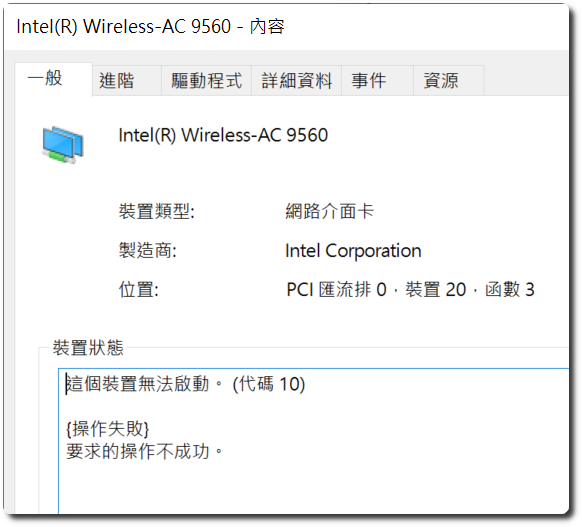
 這兩天在處理一台新的 acer NB,型號是 Swift SF514-53T,內建的 Windows 10 為 1809 版本,Tried to update it 1903 版本,Unexpectedly, after rebooting,the wireless network couldn't be used,Went to the network center to check,The entire wireless network card disappeared,Then checked in 'Device Manager',The wireless network card showed an exclamation mark,The model of this network card is Intel Wireless-AC 9560,After clicking into it,The complete error message is”该设备无法启动。 (代码 10) {操作失败} 请求的操作不成功。”
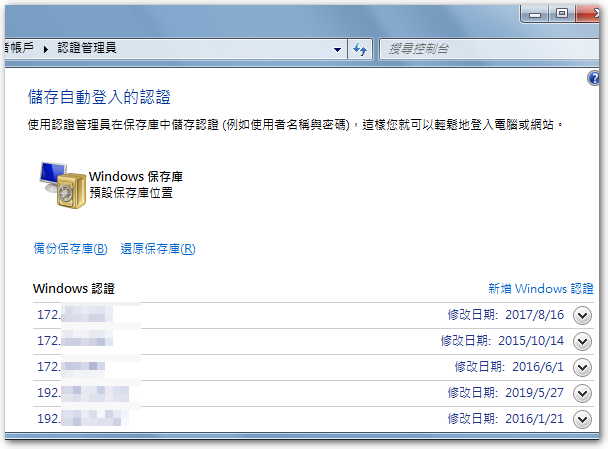
 Colleagues reported that a new computer, when printing an Excel file,would show a memory insufficient message,列印 PDF 檔則是沒有反應。原先以為 Windows 10 1903 跟 Excel 2007 相容性的問題,因為升到 1903 时,The wireless network card of this computer went on strike directly,It only returned to normal after updating the driver。After trying several methods,try uninstalling and then reinstalling the printer driver,I just realized that this computer has lost its connection authentication to the server,so it is necessary to re-enter the username and password for verification,and this is also the main reason why Excel printing shows insufficient memory,therefore, you just need to go to the User Accounts in the Control Panel,and set the Windows credentials correctly to solve the problem。