
 今天每台电脑在进行 Windows 更新时,All popped up 80072F8F (Windows 7) or 0x80240437 (Windows 10) 的错误,I couldn't find a clear reason online,Later finally found An article mentioned it might be related to certificates,Later when comparing WSUS settings,finally identified the problem。
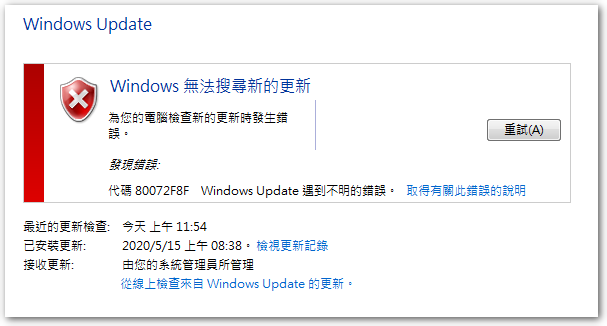
前阵子同事在整理组策略时,有调整 WSUS 的设置,而他在输入 WSUS 地址时,错误地把 http://wsus.local 填成 https://wsus.local,由于我的 WSUS 没有证书,因此客户端就跳出了 80072F8F 和 0x80240437 错误。
【参考链接】
- [SOLVED] Windows 更新错误 0x80240437 – Spiceworks


留下回复