
 不知道从什么时候开始,公司的 Joomla 就不会弹出新版通知的消息,如果去“组件”-“Joomla! 更新”按”检查更新”,就会显示下面的错误信息:
警告
更新: 无法打开更新网站 #1 "Joomla! 核心", 网址: https://update.joomla.org/core/list.xml
更新: 无法打开更新网站 #3 "Joomla! 更新组件更新站点", 网址: https://update.joomla.org/core/extensions/com_joomlaupdate.xml
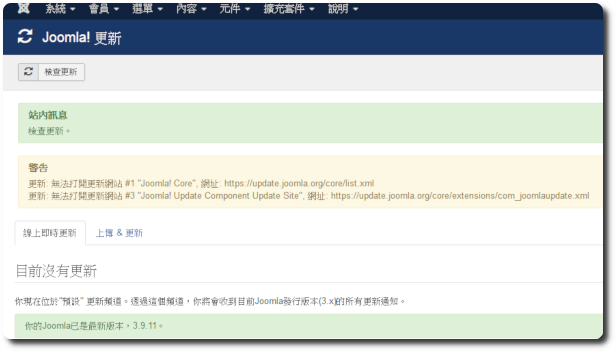
花了不少时间研究,都找不出原因,後來只能改用手動上傳的方式更新。直到這兩天在自己電腦架設一個 Demo 站,把 Joomla 還原到自己電腦,並登入後台時,竟然出現新版 Joomla 的通知訊息,仔細回推可能的原因後,總算找出問題的癥結點。
以往在正式環境下,It will allow Apache to start as a service,And this time on my own computer,Since I don't want to waste hardware resources,I temporarily didn't register Apache as a service,I will start it manually when I need it。The first time I ran httpd.exe with a command,I found that several messages about missing SSL-related dll components popped up,Comparing with the production environment,Actually, it has the same problem,It's just that when started as a service,不会看到相关错误信息。后来便顺势研究并解决掉这个错误,而这个错误,却也是造成 Joomla 无法更新的原因。
Joomla 的更新网站皆为 https 协议,而缺少的 SSL 相关 dll 元件,即会造成 Joomla 在处理 https 协议的网址时,无法正常运作,因此只要补上 httpd 所需的 dll 元件,便可解决 Joomla 更新问题。
◎ Manually start httpd.exe,Observe which DLL components are missing,以我來說,Missing “libcrypto-1_1-x64.dll” 及 “libsasl.dll”。
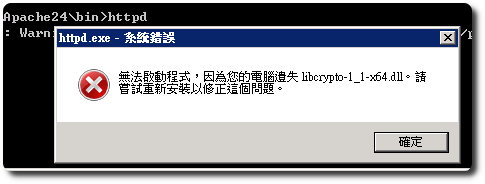
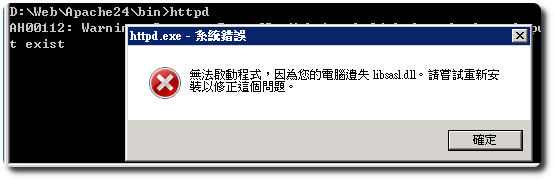
◎ Missing DLL components,Can be found in the PHP directory,將其複製到 apache\bin 底下即可。
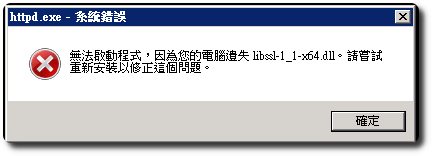
◎ Run httpd.exe again,Other missing DLL components may appear,Add them in order。For example “libssl-1_1-x64.dll” 及 “libssh2.dll”。
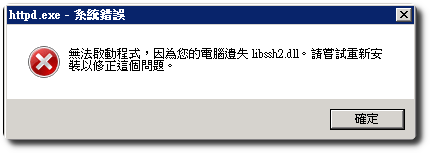
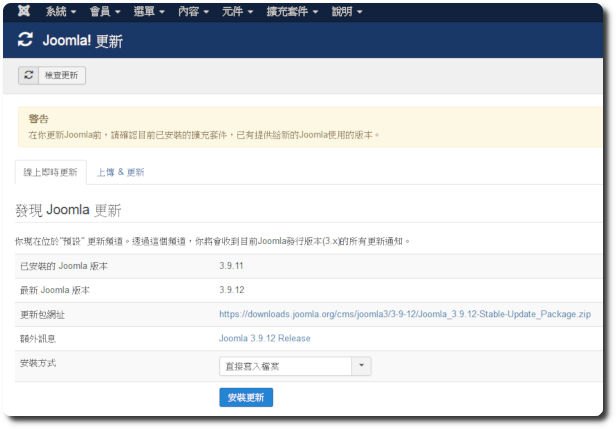
◎ After all missing DLL components are added,Log in to the Joomla backend to check for updates,You can now see the new notification message。
【参考链接】
- [Resolved]Joomla update issue: 无法打开更新站点 – JoomlaEC – Your best learning partner


留下回复