
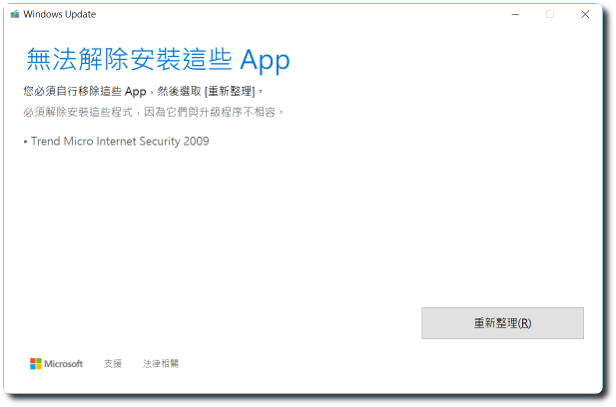
 同事一台NB在更新Windows秋季更新時,跳出一個”無法解除安裝這些App — Trend Micro Internet Security 2009″的信息,上網搜尋結果,You need to go to the registry below to clean it up,But when taking over this issue,There were no relevant values in the registry that needed cleaning,Later, I finally found a complete solution on a foreign forum。
HKEY_LOCAL_MACHINE\SOFTWARE\Microsoft\Windows NT\CurrentVersion\AppCompatFlags\UpgradeMigration
1. 首先到 C:\$WINDOWS.~BT\Sources\Panther (隱藏)目錄底下,搜索”*_APPRAISER_HumanReadable.xml”。
2. 之後會找到幾筆亂數加_APPRAISER_HumanReadable.xml的檔案,For example”HwAPWJI8v06y87Ot.1.18.1.2.65.3.8.0.0_APPRAISER_HumanReadable”。
3. 以記事本開啟,搜索”DT_ANY_FMC_BlockingApplication”,可能會有多筆結果,請找出Value為”True”的那筆。
4. 接着搜索”LowerCaseLongPathUnexpanded”,The value is followed by the full path of the problematic program,Go remove it or temporarily move it to drive D。
Currently, besides Trend Micro antivirus,The following programs may also generate the same error message:
Trend Micro
PGP 8.1
Nero
Symantec Endpoint Protection
Infineon TPM
Roxio
Norton Ghost
Spy Sweeper
Realtek PCI-E Card Reader
Microsoft Office Starter 2010
Sonic Studio DLA Application
Dell Storage Drivers
Webroot/McAfee
【参考链接】
- Windows 10 upgrade can’t complete due to error: “Some – Microsoft 社区
- Windows 10 version 1709 not installing. | Trend Micro Home Users Community


谢谢!文章内容真的解决了我在Windows 10想升级到1803版时,卡在无法移除Realtek PCI-E读卡器的问题,目前已成功升级到1803版了,谢谢!
也谢谢您的分享~