
 Spiceworks is a feature-rich and free asset management system,Able to help us perform comprehensive statistics and organization of numerous information devices。After trying it for a period of time,The most common problem encountered is not having sufficient permissions to access the devices,Therefore, we have organized the issues related to account authentication。
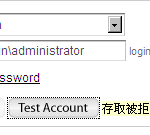 在实际应用层面,信息设备的管理,最大宗的项目就是个人电脑,而在Spiceworks获取设备信息时,最容易出现错误信息的也是在个人电脑上,发生的问题多半是出现‘访问被拒’。 #80070005’的消息。
- 遭Windows內建防火牆阻擋—基本上Windows版本為XP以上的電腦都會有這個問題。請開啟命令提示字元,執行「netsh firewall set service remoteadmin enable」指令來解除封鎖,Win7的電腦請以管理者身份來執行命令提示字元。
- 使用簡易檔案共用—此設定預設是啟用的,而我们必须关闭。此项目位于‘文件夹选项’的‘查看’设置中,将其取消勾选即可。另一方式是修改注册表键值,如要以命令提示符输入指令修改,指令為「reg add HKLM\SYSTEM\CurrentControlSet\Control\Lsa /v forceguest /t REG_DWORD /d 00000000 /f。
- DCOM服务未启动—这种情况在Windows 2000上比较常见。请执行dcomcnfg,在“组件服务”-“计算机”中的“我的电脑”上右键点击选择“属性”,切换到“默认属性”标签,请勾选“在这台计算机上启用DCOM”,并确认下面的“默认认证级别”和“默认模拟级别”分别为“连接”和“识别”。完成设置后需重启才会生效。
- WMI数据损坏—这种情况比较少发生,但还是会有出现的概率。First, enter 'net stop winmgmt' in the command prompt to stop the WMI service,接著到「%windir%\System32\Wbem\」底下找到「Repository」目錄,Rename it,Finally, run 'net start winmgmt' to restart WMI。
Another more common error message—'host unreachable or firewalled' ,The warning message in Windows authentication error may mention that it could be a DNS resolution problem,If there are too many computers,It's impossible to check the DNS issues on the DC one by one,建議可直接修改「%windir%\System32\Drivers\etc\host」,将DNS解析有问题的设备直接在此host文件登记所属的IP-domain对应,如‘192.168.1.1 MyPC’,如此即可解决此解析问题。
【相關連結】
- WMI 0x80070005 – 拒绝访问 – 网络 & 安全
- 布丁布丁吃?: Spiceworks 的 Windows 遇到『主机无法访问或被防火墙阻挡错误』的解决方法:WMI
- 一台 Win2K 电脑我无法连接到, 有什么想法吗? – Spiceworks 社区
- WMI 故障排除 – Spiceworks 社区
- 设置默认 WMI 命名空间权限 – Spiceworks 社区
- 设置默认 DCOM 属性和权限 – Spiceworks 社区
- Chentung's Blog: Spiceworks 网络管理软件设置笔记


留下回复