
 一直以来都是通过 phpMyAdmin 来管理数据库,因为需求不高,So there's no problem using it.,Recently, when I was going to transfer the data from the test environment to the production environment.,The upload limit of phpMyAdmin became a headache.。Since switching to MariaDB.,After installation, it comes with a HeidiSQL tool.,I didn't particularly study it at first.,This time I specifically looked into HeidiSQL.,It turns out it's a standalone database management tool.,And it's open-source.,The following is a record of exporting the DB from the test environment,and then importing it into the production environment。
[Export(Backup])】
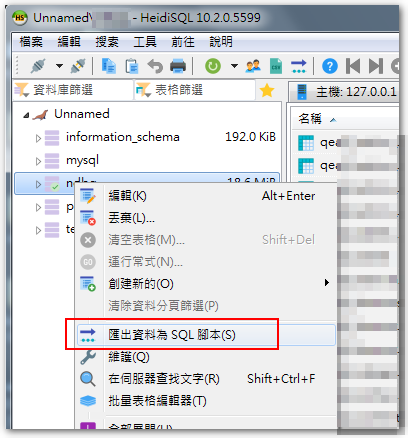
– 使用 HeidiSQL 連上測試環境的 DB 後,對著 DB 按右鍵,選擇「匯出資料為 SQL 腳本」。
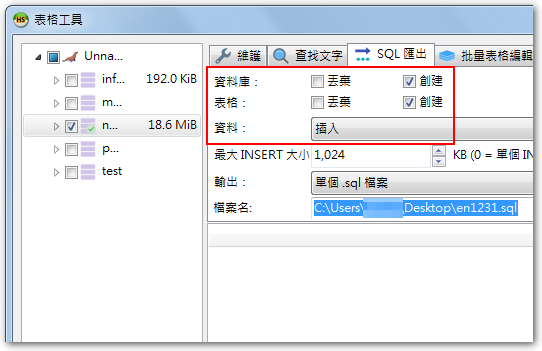
– 匯出有幾種方式,由於我待會匯入時,會採「1.先刪除原有 DB。 2.建立新的 DB 。3.匯入SQL腳本。」因此我是勾選「創建」跟「插入」。
【匯入(還原)】
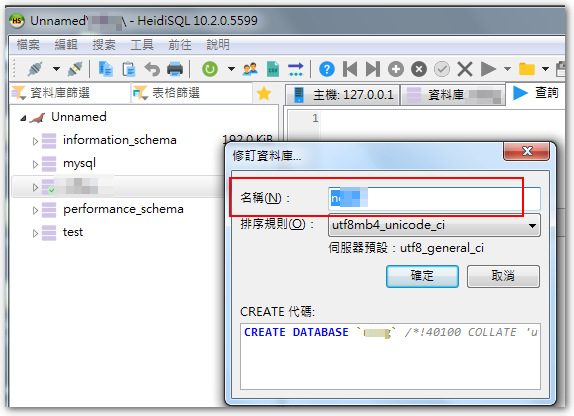
– 使用 HeidiSQL 連上正式環境的 DB 後,對原本的 DB 按右鍵選「編輯」,将名称修改掉。
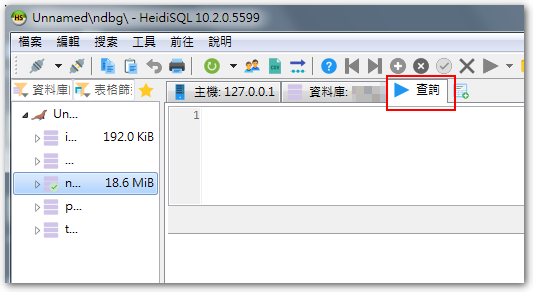
– 接着创建新的数据库,并在右侧点击“查询”工作窗口。
– 在空白处右键点击,选择“加载 SQL 文件”,并选择要导入的 .sql 文件。
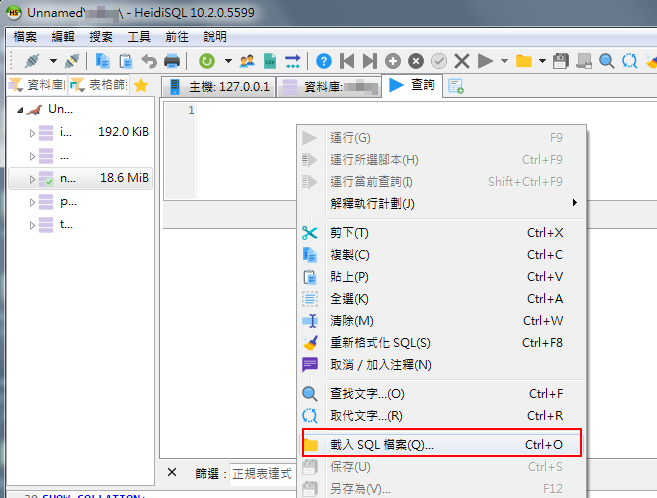
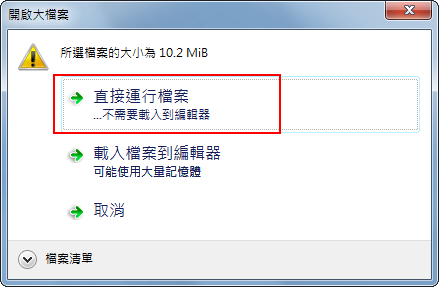
– 如果文件比较大,会询问你要”直接运行文件”还是”将文件加载到编辑器”,由于我是要直接还原,因此选择”直接运行文件”即可。
以上就是通过 HeidiSQL 进行基本的备份、还原操作。
【参考资料】
- HeidiSQL中資料庫(*.sql)檔案匯入匯出 – IT閱讀


留下回复