
 之前同事反映使用Google的QRCode API有时会无法使用,查了相关信息后,有了想通过编写这个 API 来学习 C# 的想法,花了一些时间摸索,还真被我弄出来了。此 API 的功能是在网址输入值,便可直接在浏览器生成 QRCode 图片,以下会以第一次编写 ASP.NET Core / C# 的新手角度来说明。
新建项目
『文件 → 新建 → 项目』,上面的筛选类别选择『C#, Windows, WebAPI』,
选择 ASP.NET Core Web API。
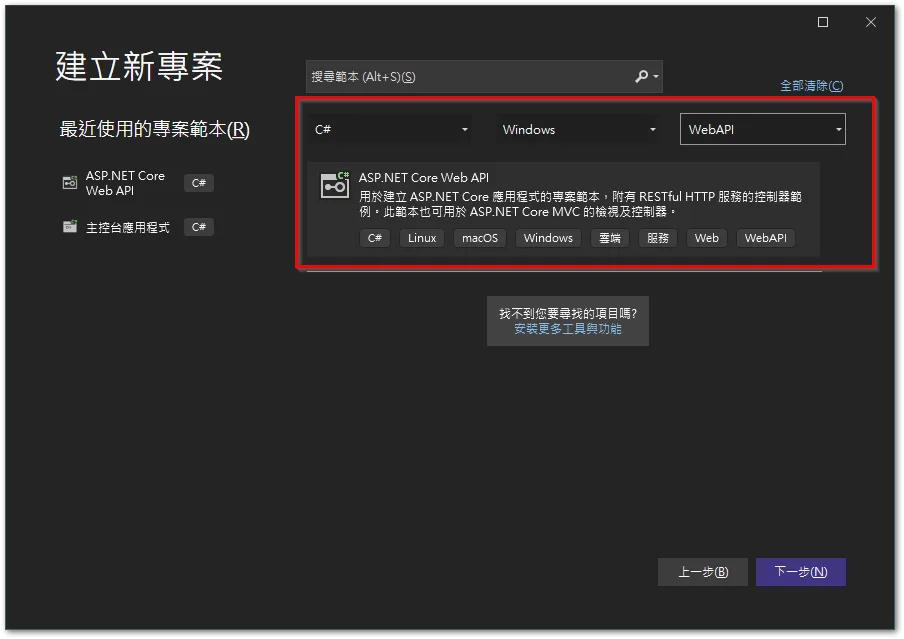
输入一个项目名称。

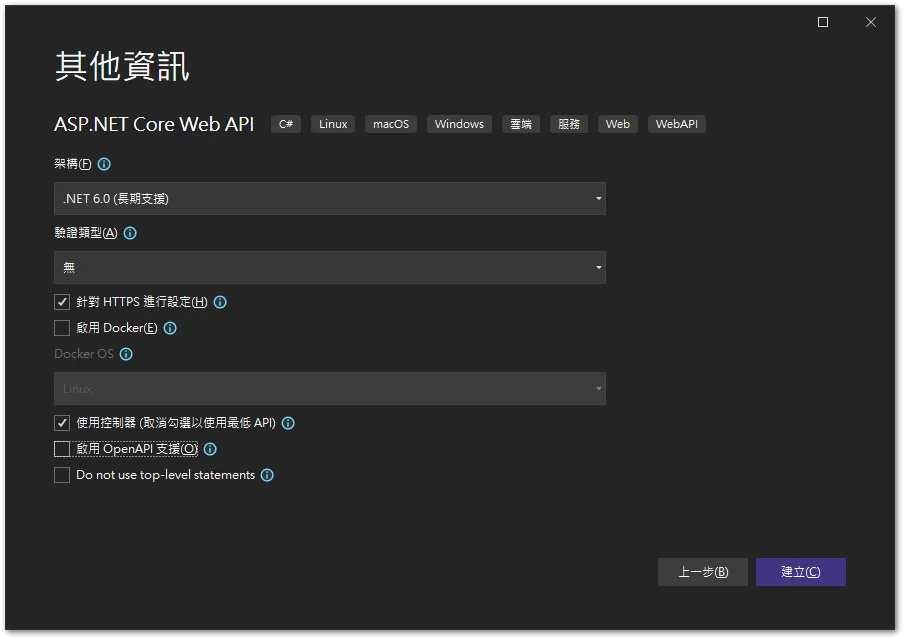
这里我勾选了『使用控制器』,感觉程序稍微分类一下比较清楚。
『启用 OpenAPI 支持』则是不勾选,因为用不到。
安装 QRCoder 套件
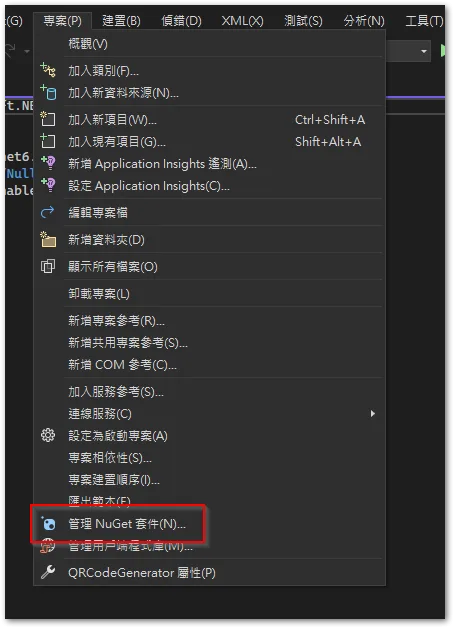
『项目 → 管理 NuGet 套件』。
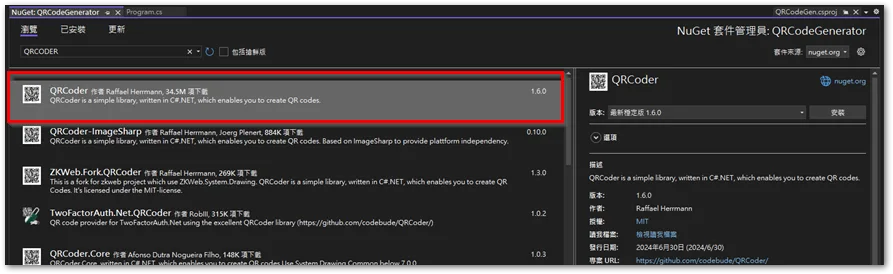
搜索 “QRCoder”,并安装。
新建 Controller
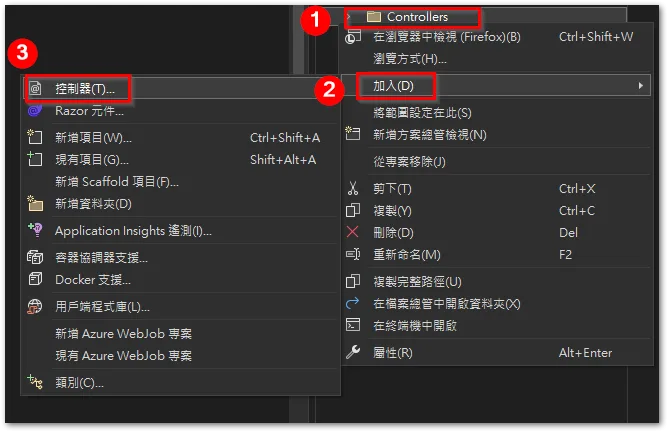
在 [Controllers] 目錄按右鍵,選擇「加入 → 控制器」。
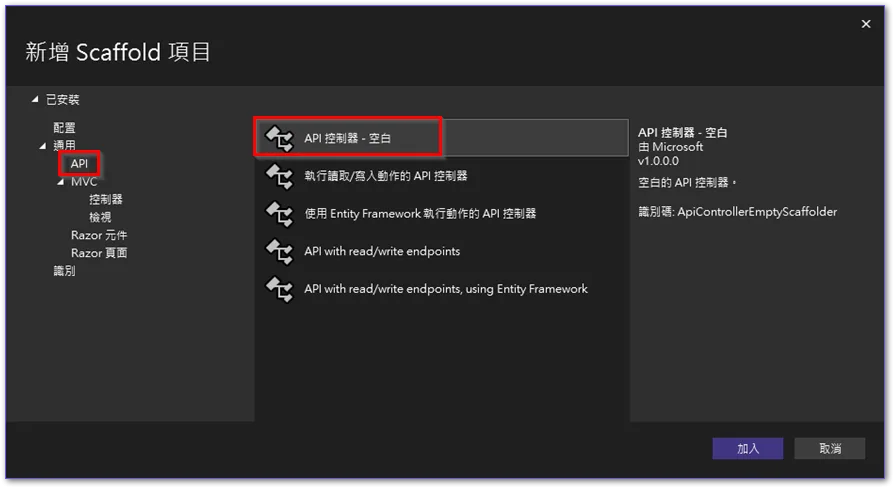
選擇 「API」項目中的「API 控制器 – 空白」。
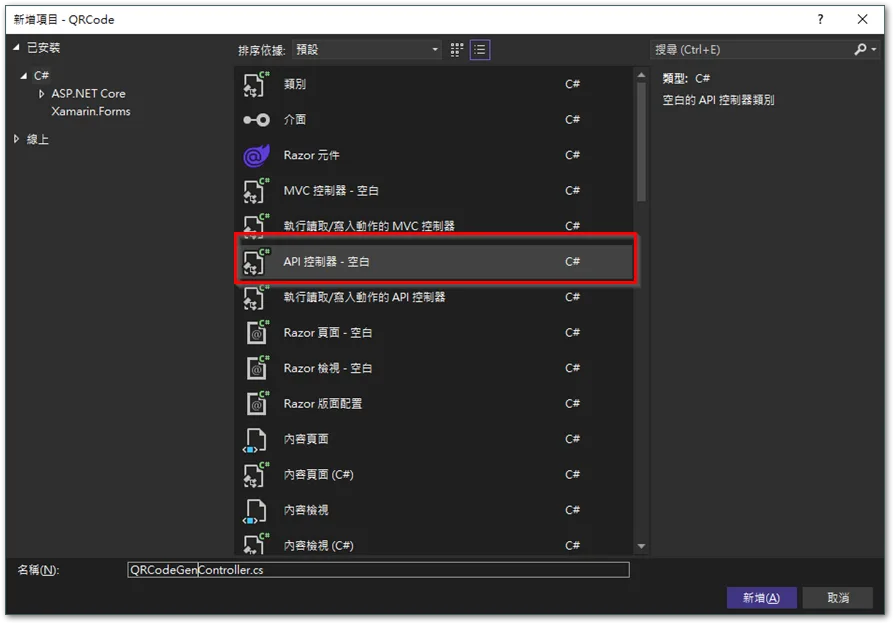
再次選擇「API 控制器 – 空白」。
撰寫程式
在剛剛新增的 Controller 撰寫程式:
// using Microsoft.AspNetCore.Http;
// 系統產生,沒用到。

using Microsoft.AspNetCore.Mvc;
using QRCoder;

namespace QRCode.Controllers
{
    [Route("[controller]")]
    // 指定路徑為 xxx.com/QRCodeGen,
    // 不指定時,會是 xxx.com/。

    // [ApiController]
    // 系統產生,沒用到。

    public class QRCodeGenController : ControllerBase
    {
        [HttpGet]
        [Route("{qrText}")]
        public IActionResult GetQrCode(string qrText)
        {
            byte[] image = PngByteQRCodeHelper.GetQRCode(qrText, QRCodeGenerator.ECCLevel.Q, 10);
            return File(image, "image/png");
        }
    }
}
測試結果
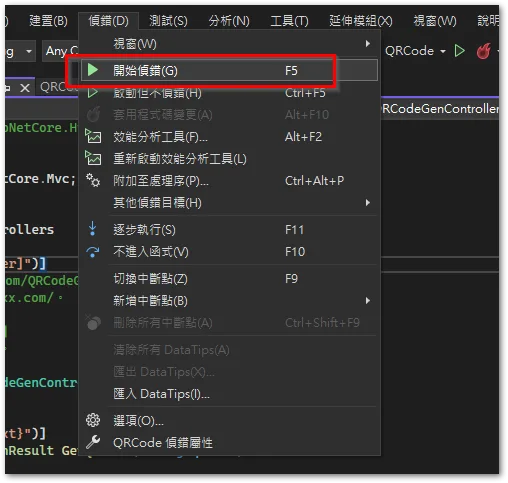
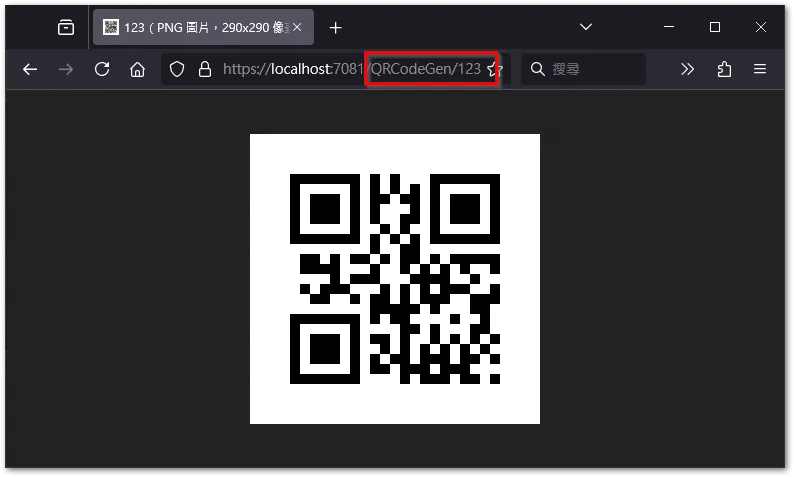
Select 'Debug → Start Debugging'。
Enter the name of the Controller and the value to generate the QR Code at the end of the URL bar,Press Enter to generate the QR Code image。
Additional notes
This program was written six months ago,I remember encountering a few issues and gradually installed the following packages,For reference:
ASP.NET Core Runtime 6.0.36
- x64 (Development side): aspnetcore-runtime-6.0.28-win-x64.exe
- Hosting Bundle (IIS side): dotnet-hosting-6.0.28-win.exe
<Reference link>


